Set Camouflage Seamless Patterns
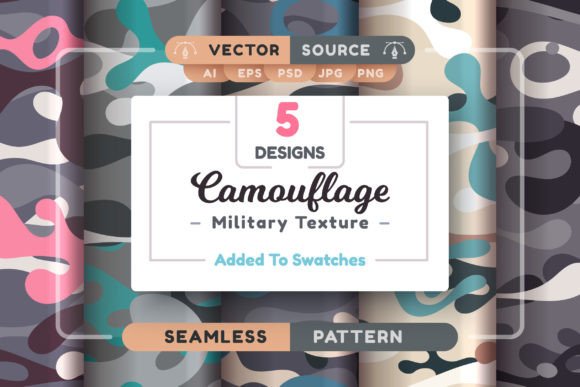
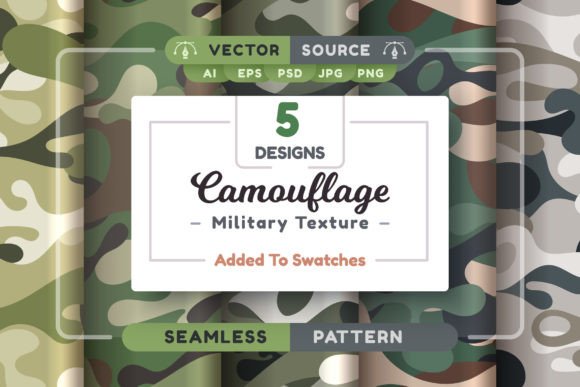
If you’ve ever spent hours trying to tile a camouflage texture—only to spot visible seams, pixelation at large scales, or frustrating limitations when adjusting colors or scale—you’ll appreciate what Set Camouflage Seamless Patterns solves. This isn’t just another collection of generic military-inspired graphics. It’s a thoughtfully built toolkit designed for real-world creative work: five distinct, truly seamless camouflage patterns—each delivered in multiple professional-grade formats, all optimized for flexibility, scalability, and precision.
Why Seamless Matters—Beyond the Obvious
Seamless doesn’t just mean “repeats without gaps.” It means reliability across contexts. A poorly constructed pattern may look fine on a 500×500px social media banner—but fail catastrophically on a 3m-wide trade show backdrop, revealing misaligned edges or inconsistent density. With Set Camouflage Seamless Patterns, every design is mathematically aligned at the boundaries. That means no manual patching, no trial-and-error tiling adjustments, and no last-minute surprises during print prep or web export.
This matters most when time is tight and quality is non-negotiable—like a freelance designer preparing mockups for a client pitch, an educator building interactive learning materials about textile design, or a small business owner customizing apparel labels and packaging. Seamlessness here isn’t a feature—it’s foundational workflow hygiene.
Vector Files: Scale Without Compromise
The set includes five .AI files (compatible with Illustrator CC 2014+) and five .EPS files (backwards-compatible to Illustrator 10). Both are true vector patterns—not raster images embedded in vectors. That distinction is critical: you can enlarge any pattern to billboard size, convert strokes to outlines, recolor individual elements, or adjust spacing using Illustrator’s Pattern Options panel—all without degradation.
For example, a marketing team designing a limited-edition product launch campaign might use one pattern as a subtle background layer behind bold typography, then repurpose the same vector to generate a custom fabric swatch for physical merch. No re-rasterizing. No quality loss. Just consistent, editable geometry.
Raster Files: Ready for Immediate Use
Need high-res assets fast? The archive delivers 5 JPGs, 10 PNGs (including transparent variants), and 5 layered PSDs—all at 4167×4167 pixels. That resolution comfortably supports print at 300 DPI up to ~35×35 cm, or crisp display on retina screens and digital signage. The PSD files retain layer structure (e.g., base tone, shadow overlay, texture grain), letting Photoshop users tweak contrast, blend modes, or hue/saturation non-destructively.
A blogger creating a tutorial on urban photography aesthetics could drop a PNG directly into Canva or Figma for presentation slides. An interior designer prototyping a camo-accented wall mural could import the PSD into Adobe Dimension for realistic 3D preview—no intermediate conversion steps required.
Native Integration: Save Time, Not Just Files
Beyond raw assets, the set includes .ai graphic styles for Illustrator and .pat pattern swatches for Photoshop. These aren’t static images—they’re live, reusable tools. In Illustrator, apply a camo style with one click to any shape or path, then instantly scale, rotate, or recolor the fill while preserving seamless behavior. In Photoshop, load the .pat file and paint with the pattern using the Fill or Pattern Overlay layer style—ideal for quick UI mockups, texture overlays in photo composites, or batch-processing product photos.
This integration cuts repetitive tasks: no more dragging and dropping tiles, no manual offset corrections, no exporting and re-importing between apps. It turns pattern application from a technical chore into a creative decision.
Who Benefits—and How Realistically?
Set Camouflage Seamless Patterns serves creators who need versatility without complexity. Freelance illustrators building character assets for tactical-themed games find value in editable vectors that match line art weight and color palettes. Educators teaching graphic design principles use the set to demonstrate tiling mechanics, vector vs. raster trade-offs, and file format interoperability. Small business owners launching outdoor gear brands leverage the high-res PNGs and PSDs for Shopify banners, email headers, and packaging mockups—all sourced from the same cohesive visual language.
That said, it’s not a universal solution. If your project demands photorealistic, terrain-specific camouflage (e.g., desert dunes vs. alpine snow), these stylized, graphic interpretations won’t replace reference photography or specialized GIS-based texture mapping. Similarly, users relying exclusively on free or open-source tools like Inkscape or GIMP should note that native .ai and .pat support is limited—though EPS and PNG/PDF exports remain fully usable.
Practical Tips for Getting Started
- Start vector-first: Open an .AI file in Illustrator, double-click the pattern swatch in the Swatches panel, and experiment with spacing, width, and height in the Pattern Options dialog before applying.
- Leverage transparency smartly: Use the 10 PNGs with alpha channels to overlay camouflage on complex photos—try blending modes like Multiply or Overlay in Photoshop for natural integration.
- Test at scale early: Before finalizing a large-format print file, place a vector pattern at actual output dimensions and zoom to 400% to verify edge alignment—especially if combining multiple patterns in one layout.
- Customize, don’t just copy: The included PSDs let you isolate texture layers; try desaturating the base tone and adding a duotone gradient for modern, minimalist reinterpretations.
Ultimately, Set Camouflage Seamless Patterns works best when treated as infrastructure—not decoration. It removes friction so you can focus on intent: whether that’s communicating resilience through visual metaphor, grounding a brand in functional authenticity, or simply finishing a project on deadline without compromising integrity. The files don’t make your ideas better—but they do give those ideas room to land clearly, consistently, and professionally.