Handmade Patterns for Creative Projects
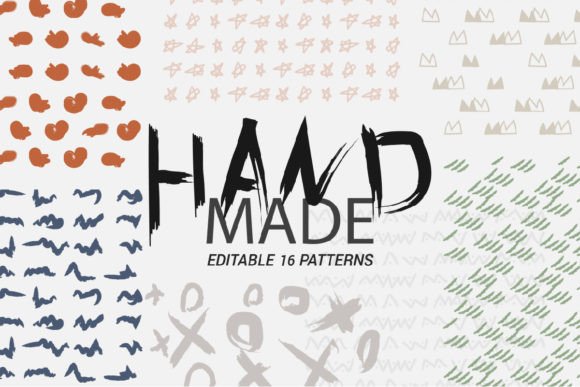
Handmade Patterns aren’t just decorative—they’re versatile, intentional design assets rooted in craftsmanship and digital precision. Unlike mass-produced repeats or algorithmically generated textures, these patterns carry the warmth of human intention—curved lines with subtle variation, organic spacing, and thoughtful balance—all preserved in high-fidelity digital files you can scale, recolor, layer, or adapt without losing integrity.
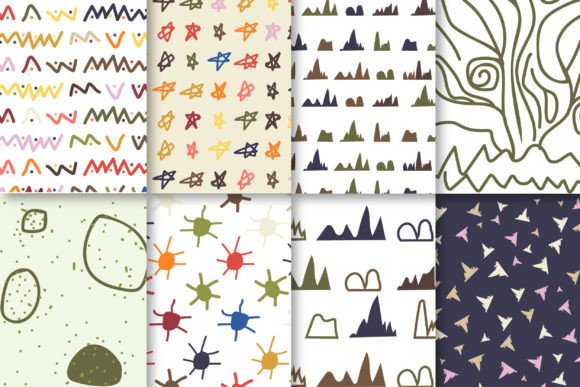
This particular pack delivers eight distinct styles, each thoughtfully crafted to serve different visual moods and functional needs: from bold geometric rhythms ideal for modern apparel branding, to soft watercolor-inspired motifs perfect for wedding stationery or classroom posters. What makes them especially useful isn’t just variety—it’s consistency across formats and purpose-built resolution.
Why Format Variety Matters—Depending on Who You Are
If you're a beginner designer using Canva or Cricut Design Space, SVG files are your entry point. They scale infinitely without pixelation and import cleanly into most hobbyist tools. The included JPGs (300 DPI, 12×12 inches) let you preview how a pattern looks printed at full size—helpful when testing fabric swatches or mockup layouts before investing in physical production.
For freelance graphic designers or small business owners building brand collateral, the EPS file is essential. It’s editable in Adobe Illustrator and retains vector fidelity—meaning you can isolate individual elements, adjust stroke weights, or convert motifs into logos or icon sets. That same EPS becomes your source file for consistent use across business cards, packaging, and social media banners—no quality drop, no rework.
Educators and art teachers often need flexible, classroom-ready resources. The PDF includes all eight patterns laid out clearly—great for printing as handouts, projection slides, or tactile texture studies. Students can trace, color, or collage directly from it—or use the SVGs in school-licensed design software to explore symmetry, repetition, and color theory interactively.
Real Use Cases Across Skill Levels
A handmade jewelry entrepreneur might use one floral pattern as a textured background on an Instagram Story announcing a new collection—pulling the JPG into Over app for quick overlay. Later, they’ll open the matching SVG in Silhouette Studio to cut the same motif as a foil-stamped accent on custom gift boxes.
A blogging parent designing printable party decorations downloads the pack once and reuses it across multiple events: the same paisley-style pattern appears as a subtle watermark behind a birthday invitation (JPG), then gets resized and layered onto a DIY tote bag template (SVG), and finally printed full-bleed on cardstock for photo booth props (PDF print settings set to “actual size” and “high quality”).
A university textile design student uses the EPS to extract anchor points and modify tile boundaries—learning how seamless repeats function by editing one segment and watching the ripple effect across the entire pattern grid. That hands-on exploration builds foundational knowledge no tutorial video fully replicates.
What Changes Based on Your Priorities
Speed and simplicity? Beginners and time-pressed creators lean on JPGs and the ready-to-use PDF. No software required—just drag, drop, and print. There’s no learning curve, no export troubleshooting, no color profile guessing.
Commercial flexibility? Professionals evaluating long-term value look closely at licensing clarity (included in purchase confirmation) and format depth. Having both EPS and SVG means compatibility with legacy systems (older versions of CorelDRAW) and modern web-first tools (Figma plugins that accept SVG). That dual support reduces friction when collaborating across agencies or handing off assets to print vendors.
Creative control? Artists who paint over digital layers or integrate patterns into mixed-media work prioritize the high-resolution JPGs. At 300 DPI and 12×12 inches, they offer enough detail to retain brushstroke texture when overlaid in Procreate or Photoshop—even after resizing down for phone case mockups or sticker sheets.
Reliability and presentation? Educators preparing materials for diverse learners appreciate that every file type renders predictably—no missing fonts, broken links, or transparency glitches. When projecting a pattern during a lesson on cultural textile traditions, what appears on screen matches exactly what students later print or stitch.
How to Tell If This Fits Your Next Project
Ask yourself:
- Do you need patterns that hold up when enlarged for wall decals or reduced for embroidery digitizing? → Yes? Then vector formats (EPS + SVG) and 300 DPI raster files matter.
- Are you building a cohesive visual system—not just one-off decor—but recurring elements across products, emails, and packaging? → Then having identical motifs in multiple editable formats saves hours in asset management.
- Is accessibility part of your workflow? → High-contrast variants (present in several styles here) support inclusive design choices without extra editing.
- Do you teach, share, or mentor others? → The clean organization—eight styles, labeled consistently across file types—makes it easy to assign, demonstrate, or archive.
You don’t need advanced software to benefit. A teacher printing paper placemats for a craft workshop uses the JPGs. A Shopify seller adding patterned backgrounds to product photos uses the same files. A surface pattern designer reverse-engineering repeat logic uses the EPS. Same pack. Different entry points. Same reliable output.
That versatility reflects how Handmade Patterns bridges intention and utility—designed not just to look handmade, but to function like it: adaptable, honest in construction, and respectful of the user’s time and tools.
Whether you’re screen-printing hoodies for a local music festival, drafting lesson plans about traditional dye techniques, or prototyping a limited-run stationery line—the eight styles give you grounded starting points, not restrictive templates. They invite adaptation instead of demanding conformity.
Thank you for purchasing—your support helps sustain thoughtful, human-centered design resources that grow more valuable the longer you keep them in your toolkit.