Halloween Seamless Patterns - Set of 6
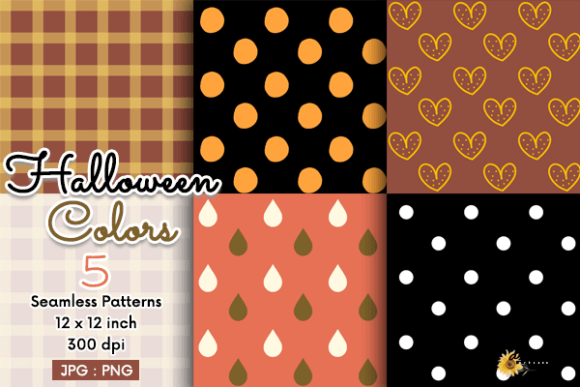
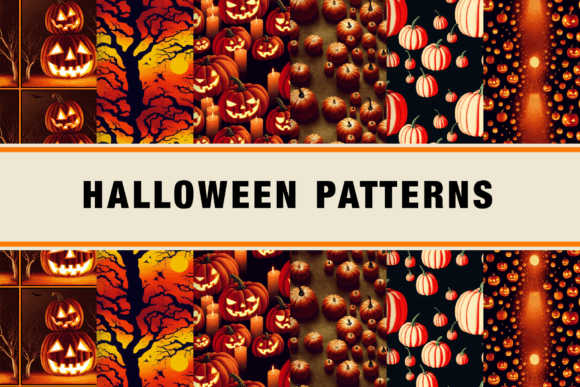
Seamless patterns are foundational assets—not decorative afterthoughts. When you’re building a product line, designing marketing collateral, or preparing classroom materials for October, the right pattern set saves time, preserves visual consistency, and eliminates technical friction. The Halloween Seamless Patterns - Set of 6 fits precisely into that role: six high-resolution, tileable PNGs—each 2048 × 2048 pixels—that drop cleanly into design workflows without manual tiling, alignment, or edge correction.
Where This Set Fits in Your Workflow
This isn’t a standalone graphic—it’s an infrastructure element. Think of it like selecting a typeface early in a branding project or choosing a color palette before mockups begin. You’ll use the Halloween Seamless Patterns - Set of 6 most effectively when integrated upstream: during asset planning, not last-minute decoration. For example, if you’re launching a seasonal print-on-demand shop on Etsy or Redbubble, these patterns let you pre-build product templates (tote bags, mugs, notebooks) with consistent texture and theme—so when a customer places an order, your production pipeline stays predictable and scalable.
For educators preparing Halloween-themed worksheets or digital learning slides, the patterns serve as subtle, non-distracting backgrounds that reinforce seasonal context without overwhelming content. Marketers building email banners or social media carousels can apply one pattern across multiple assets to maintain cohesive visual rhythm across channels—especially helpful when coordinating team handoffs or agency approvals.
Compatibility and Technical Readiness
All six patterns are delivered as PNG files with transparent backgrounds and no embedded watermarks or layers. That means they work natively in Adobe Photoshop, Illustrator, Affinity Designer, Canva Pro, Figma (via import), and even free tools like GIMP or Photopea. No conversion is needed. Because they’re truly seamless—tested at multiple zoom levels and tile repetitions—you won’t encounter visible seams, misaligned repeats, or pixelation when scaling up for large-format prints (e.g., wall decals or fabric yardage).
Each file is approximately 2048 × 2048 pixels—a deliberate balance between resolution and usability. It’s large enough to scale cleanly to A4 or letter-size documents at 300 DPI, yet small enough to load quickly in browser-based editors or mobile design apps. If you need larger dimensions for billboard or apparel printing, you can resample using bicubic interpolation in Photoshop or export at higher resolution from vector-based tools—though most users find the native size sufficient for 95% of common applications.
Practical Implementation Tips
Organize by function, not just theme. Don’t store all six patterns in one folder labeled “Halloween.” Instead, group them by intended use: Print-Ready Textures, Digital Backgrounds, Web UI Overlays. This speeds up retrieval during tight deadlines and supports version control if you later add variants (e.g., light/dark mode versions or recolored sets).
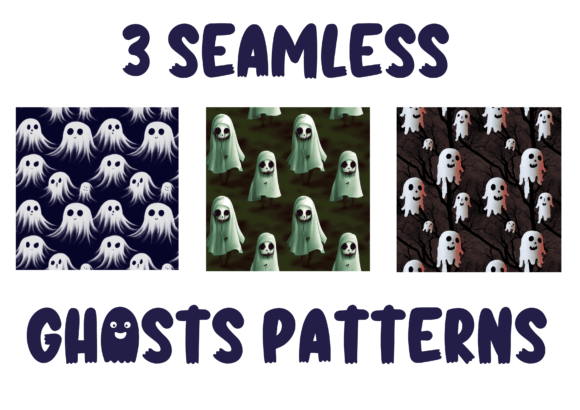
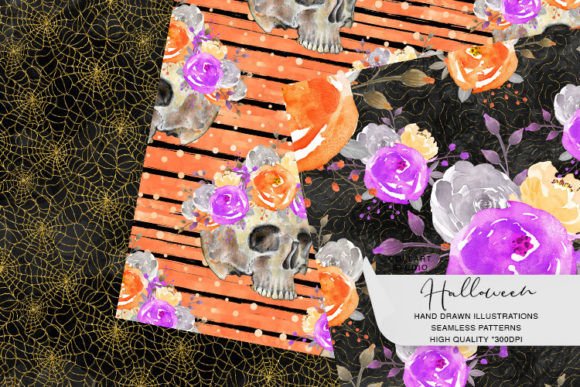
Test contrast early. Seamless patterns interact with typography and foreground elements. Before finalizing a layout, overlay sample text or icons at typical font sizes and weights. Some of the patterns in the Halloween Seamless Patterns - Set of 6 feature fine-line details or low-contrast motifs (e.g., faint cobwebs or ghost silhouettes). These work beautifully behind headlines but may reduce legibility for body copy unless you adjust opacity (30–50%) or add a subtle semi-transparent overlay.
Leverage layer blending modes. In Photoshop or Figma, try Multiply, Overlay, or Soft Light instead of Normal when placing patterns over colored backgrounds. This unlocks tonal variation without editing the original PNG—letting one pattern serve multiple color schemes across your brand guidelines.
Integration With Other Tools and Assets
The Halloween Seamless Patterns - Set of 6 doesn’t exist in isolation. It works best when paired with complementary resources:
- Vector icon packs: Use with Halloween-themed SVGs (bats, pumpkins, cauldrons) to build layered compositions where the pattern provides texture and icons provide focal points.
- Typography systems: Pair with display fonts that echo the pattern’s tone—e.g., a bold, slightly distressed font for a pattern with jagged edges, or a clean serif for a subtler, vintage-inspired motif.
- Color palettes: Each pattern has a dominant hue or tonal range. Extract hex values using browser dev tools or Adobe Color, then build accessible contrast ratios for text overlays using tools like WebAIM’s Contrast Checker.
- Automation scripts: Developers or power users can batch-apply these patterns to product mockups using Python + Pillow or JavaScript + Canvas APIs—ideal for generating dozens of preview images for an online store.
Quality Control and Long-Term Use
Because these are static raster files—not generative or AI-produced—they offer reliability you can count on. There’s no risk of output drift, inconsistent generation, or licensing ambiguity. You own perpetual usage rights for commercial and personal projects, including resale on physical goods and digital downloads. That makes them suitable for long-term brand assets: if your business runs Halloween campaigns annually, this set remains usable year after year without re-licensing or format migration.
To ensure longevity, rename files with descriptive, consistent conventions: halloween-pattern-bats-seamless-2048.png, halloween-pattern-pumpkin-vines-seamless-2048.png. Avoid generic names like “pattern1.png” or “halloween_bg.jpg”—they create friction during audits, client handoffs, or when rebuilding assets after hardware failure.
Real-World Workflow Examples
A freelance designer preparing for Q4 client work: In late August, they import all six patterns into a Figma library, assign each a tag (“spooky,” “whimsical,” “vintage”), and build reusable frames for social posts, email headers, and presentation decks. When a bakery client requests Halloween packaging concepts in September, they pull ready-to-edit templates—cutting 3–4 hours off initial concepting.
A small publisher creating themed activity books: They apply one pattern as a background layer in InDesign for every interior page, then adjust opacity per section (e.g., 15% for puzzles, 30% for coloring pages). This creates visual unity while preserving print clarity—and lets them generate PDF proofs in under 20 minutes instead of manually adjusting each page.
An educator building a Google Slides unit on autumn folklore: They insert one pattern as a master slide background, then use the “Apply to All” function. When adding student-facing animations or interactive quizzes, the consistent backdrop reduces cognitive load—students focus on content, not shifting visuals.
What to Do Before You Download
Review your current toolkit. If you rely heavily on Canva Free, confirm you’re comfortable uploading custom PNGs (it’s supported, but requires manual placement per slide or design). If you use Procreate, know that while the files import cleanly, you’ll need to set canvas size manually to avoid auto-cropping. And if you plan to use them for embroidery digitizing or laser cutting, remember these are raster—not vector—so they’re not suitable for direct path-based output without conversion.
Also consider timing: because these patterns are seasonally specific, downloading and testing them in late summer gives you room to iterate, document usage rules for your team, and align with broader campaign calendars—rather than scrambling mid-October when demand peaks.
Final Thought: Consistency Is a Process, Not a One-Time Choice
The value of the Halloween Seamless Patterns - Set of 6 isn’t in its spookiness—it’s in its reliability as a repeatable, predictable component. It supports planning, enables speed, and reduces decision fatigue when you’re juggling multiple projects. Used deliberately—not just decoratively—it becomes part of your operational rhythm: something you reach for because it fits, functions, and scales, not because it’s trendy. That’s how practical design assets earn long-term trust.